
Nano Banana Production Review: API Cost, Reliability & Team Verdict
A production-focused Nano Banana review for engineering teams: API integration, token economics, reliability limits, and when to route traffic to Nano Banana.
 AuthorYueZhu
Nano Banana review verdict for production teams
This Nano Banana review is written for engineering and product teams who are deciding whether to route real user traffic through Google's Nano Banana API. The verdict of this Nano Banana review is straightforward: Nano Banana is a cost-efficient, low-latency image editing model when your workload is conversational and iterative, but it is not a deterministic design renderer. If your users expect to revise images through natural language, Nano Banana fits well. If they need pixel-perfect final assets on the first call, this Nano Banana review recommends looking elsewhere.
Google released the underlying model, Gemini 2.5 Flash Image, on August 26, 2025, under the community codename Nano Banana. The Google Developers Blog announcement positions it as a state-of-the-art image generation and editing model, with support for multi-image fusion, character consistency, and natural-language edits. The same post lists production pricing at $30 per million output tokens, with each image consuming roughly 1,290 output tokens, or about $0.039 per image.
This Nano Banana review evaluates the model from a production perspective: integration patterns, cost modeling, failure modes, reliability guardrails, and how it compares to the Pro and Nano Banana 2 tiers. If you are looking for a general consumer Nano Banana review, this is not it; the focus here is on engineering trade-offs.
What Nano Banana is in production terms
In this section of the Nano Banana review, we look at what the model actually is behind the API. In production, Nano Banana is an API wrapper around Gemini 2.5 Flash Image. You send text plus images to a multimodal endpoint; it returns an edited or generated image. The typical model ID is gemini-2.5-flash-image-preview, available through Gemini API, Google AI Studio, Vertex AI, and unified API platforms.
For engineering teams, the important distinction in this Nano Banana review is that Nano Banana is a single-turn and multi-turn conversational model, not a deterministic image renderer. It does not expose layers, masks, or editable parameters. You describe what you want in text, and the model interprets the request. That makes the API simple to integrate but adds variance to every output.
The ZDNet coverage of Gemini 2.5 Flash Image notes that the model became generally available after its August preview and now supports ten aspect ratios across landscape, square, portrait, and flexible formats. That matters for production because you can generate platform-native sizes without a separate cropping step.
API integration and request patterns
This part of the Nano Banana review covers the two request patterns most teams use. The simplest production pattern is a stateless request: send a prompt and an optional source image, receive a generated image. The more powerful pattern is a conversational thread: keep prior turns in context so the model can refine an image across multiple edits. That second pattern is where Nano Banana creates the most value, but it is also where cost and drift become harder to control.
Teams typically route Nano Banana calls through:
- Direct Gemini API: Best if you already use Google Cloud and want raw endpoint access.
- Vertex AI: Better for enterprise governance, IAM, and centralized billing.
- Google AI Studio: Useful for prototyping and prompt design, less ideal for high-volume production.
- Unified API platforms: Helpful when you route multiple image models through one endpoint, key, and billing layer.
The Nano Banana API page covers endpoint details and rate-limit expectations for teams that want to integrate through OpenOctopus. That page is the practical continuation of this Nano Banana review for backend developers. The Nano Banana guide is the right starting point for step-by-step usage before you write production code.
Pricing and token economics
This Nano Banana review treats pricing as the central production decision, because cost is usually the first surprise in production. At $30 per million output tokens and roughly 1,290 tokens per image, a single successful output costs about $0.039. That sounds cheap until you account for the conversational workflow.
In practice, most production calls are not single-turn. A user might generate four candidates, reject three, ask for two revisions, and then upscale the winner. Each turn burns output tokens. The effective cost per accepted asset is often several times the per-image headline price.
| Cost driver | Production impact |
|---|---|
| Candidate generation | 3–4 options can multiply output tokens 3–4× |
| Revision turns | Each edit is a fresh multimodal call |
| Upscaling | Final-resolution output can consume more tokens |
| Rejected outputs | Failed or blocked prompts still cost tokens and latency |
| Human review | Brand, face, and text checks add operational overhead |
The right production metric is cost per approved asset, not cost per call. Teams that track only per-call price usually underestimate spend by 3–5×. This Nano Banana review recommends instrumenting cost per approved asset from day one. Ignoring this advice is the most common mistake this Nano Banana review sees in new deployments.
Reliability and failure modes
No Nano Banana review would be complete without a clear look at reliability. Nano Banana is reliable at the API layer but variable at the output layer. Uptime and latency are generally good for a Google-backed service, but the semantic correctness of each image is not guaranteed. This Nano Banana review groups the production risks into five categories.
Multi-turn drift. After several edits, the model may change details that were previously correct: logo placement, facial features, product proportions, or background elements. The fix is to save approved checkpoints and restart from them rather than chaining too many turns.
Text and logo distortion. Generated or preserved text can become misspelled, blurred, or stylistically inconsistent. Brand assets should always pass through a verification step.
Safety-filter blocks. Prompts that are ambiguous or touch restricted categories can return refusals. Build graceful fallbacks and user-facing messaging instead of treating a block as a server error.
Over-smoothing. Skin, fabric, and product textures can lose detail after repeated edits. This is more of an aesthetic issue than a functional bug, but it matters for e-commerce and fashion workflows.
Version drift. Google has since released Nano Banana 2 and Nano Banana Pro. The standard tier remains the cheapest entry point, but newer tiers handle consistency and text better. Pin your model version and test across tiers before scaling. This Nano Banana review emphasizes version pinning because unversioned traffic can silently degrade after a model update. That risk alone justifies the caution expressed throughout this Nano Banana review.

Workflow design for teams
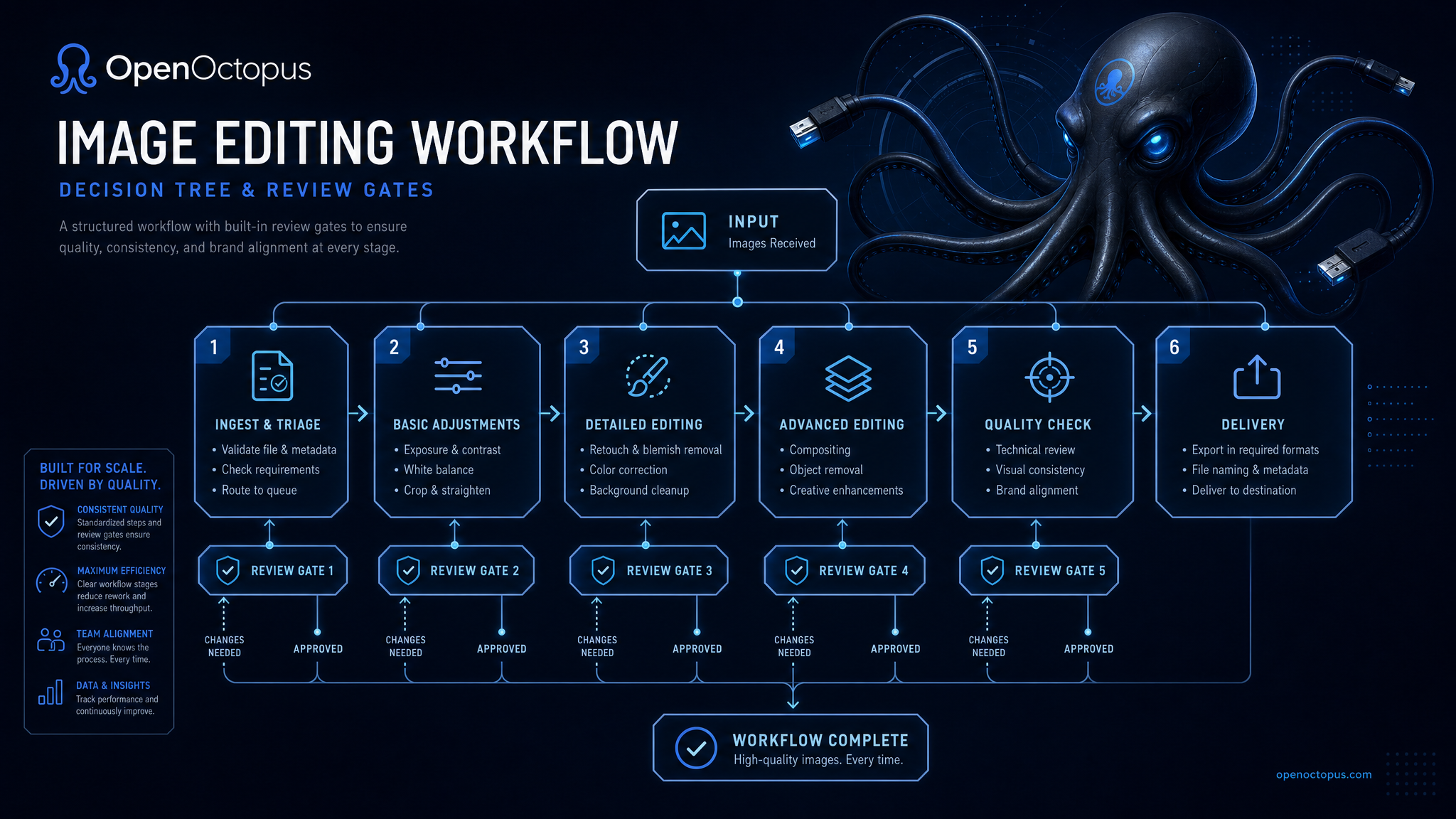
This Nano Banana review recommends that production teams treat Nano Banana as a draft-generation layer, not a final-asset layer. A healthy workflow looks like this:
- Ingest the source image or product description.
- Generate 2–4 candidates with tight prompts.
- Select a candidate automatically or through a human reviewer.
- Edit in short chains, saving checkpoints after each approved turn.
- Verify faces, text, logos, and brand colors.
- Upscale or finalize through the right model tier.
- Audit outputs for SynthID watermarking and compliance needs.
Google embeds an invisible SynthID watermark in every image created or edited by Gemini 2.5 Flash Image. That is useful for transparency and platform policies, but it does not replace your own content moderation.
This Nano Banana review also recommends setting per-user rate limits and spend caps early. This guardrail is so important that this Nano Banana review mentions it before any code example. Conversational image editing is addictive for users, and exploratory sessions can generate dozens of calls before a single approved asset emerges.
When to use Nano Banana vs Nano Banana 2 vs Pro
A common source of confusion, and an important topic for this Nano Banana review, is the difference between the standard, Nano Banana 2, and Pro tiers. The Nano Banana naming confusion article explains the branding history. For production routing, this Nano Banana review uses the table below.
| Need | Standard Nano Banana | Nano Banana 2 | Nano Banana Pro |
|---|---|---|---|
| Fast, low-cost drafts | Best fit | Good, slightly faster | Overkill |
| Multi-turn editing | Good | Better | Best |
| Subject consistency | Moderate | Good | Strongest |
| Text and logo rendering | Basic | Improved | Advanced |
| High-resolution final assets | Limited | Up to 4K | Up to 2K |
| Tight budget / high volume | Best fit | Moderate | Expensive |
If your team needs a deeper comparison between the standard and Pro tiers, read the Nano Banana vs Pro breakdown. For the newer generation, the Nano Banana 2 review covers Flash-optimized performance, and the Nano Banana Pro review covers the professional tier.
Final recommendation
This final section of the Nano Banana review sums up when the standard tier makes sense. This Nano Banana review recommends the standard Nano Banana tier for teams that need an affordable, fast API for conversational image editing and draft generation. It works best when:
- Users expect to revise images through natural language.
- The output is a draft or candidate, not a final approved asset.
- Cost per accepted asset stays below the value of a manual design hour.
- You have guardrails for text, faces, logos, and multi-turn drift.
It is not the right choice for unattended final-asset generation, deterministic layout tasks, or workflows that require legal or medical precision. That limitation is central to this Nano Banana review.
Before moving from playground tests to production traffic, set up checkpoint saving, candidate limits, human review gates, and a model-tier routing policy. With those controls, Nano Banana can reduce creative iteration time. Without them, this Nano Banana review warns that it can produce cost and quality surprises. That caution is the core takeaway of this Nano Banana review.
FAQ
-
What is this Nano Banana review about? This Nano Banana review evaluates the standard Nano Banana API from a production engineering perspective, covering integration, pricing, reliability, and team workflow design.
-
How much does Nano Banana cost in production? Google prices Gemini 2.5 Flash Image at $30 per million output tokens, or roughly $0.039 per image based on about 1,290 output tokens per image. Effective cost per approved asset is higher because of candidates, revisions, and rejected outputs.
-
What is the official model name for Nano Banana? Nano Banana is the community codename for Gemini 2.5 Flash Image; the typical production model ID is
gemini-2.5-flash-image-preview. -
Is Nano Banana reliable enough for production? API reliability is strong, but output correctness varies. This Nano Banana review recommends planning for multi-turn drift, text distortion, safety-filter blocks, and human review gates.
-
When should a team upgrade to Nano Banana 2 or Pro? This Nano Banana review suggests upgrading to Nano Banana 2 for faster generation and higher resolution, or to Nano Banana Pro when subject consistency, text rendering, and multi-turn stability matter more than per-call cost.
-
Does Nano Banana watermark generated images? Yes. Google embeds an invisible SynthID watermark in images created or edited by Gemini 2.5 Flash Image to identify AI-generated content.