
Nano Banana vs Nano Banana Pro
Pick the right image model for drafts or final assets
Nano Banana vs Nano Banana Pro is a workflow decision. Use standard Nano Banana when speed, low-cost iteration, and simple editing matter. Use Nano Banana Pro when final assets need stronger consistency, cleaner details, and tighter prompt control.
Start with $1 credit.

Nano Banana vs Nano Banana Pro snapshot

Decide by workflow stage
The cleanest Nano Banana vs Nano Banana Pro decision is not "which model is always best." It is "which model fits this stage." Drafts, social concepts, and quick variants usually belong on standard Nano Banana. Client assets, product images, and brand-sensitive visuals should move to Pro.
Google's Gemini Image documentation provides model-family context, and Google's image editing update explains the direction of Gemini image editing. For deeper standard-model analysis, use the Nano Banana Review.
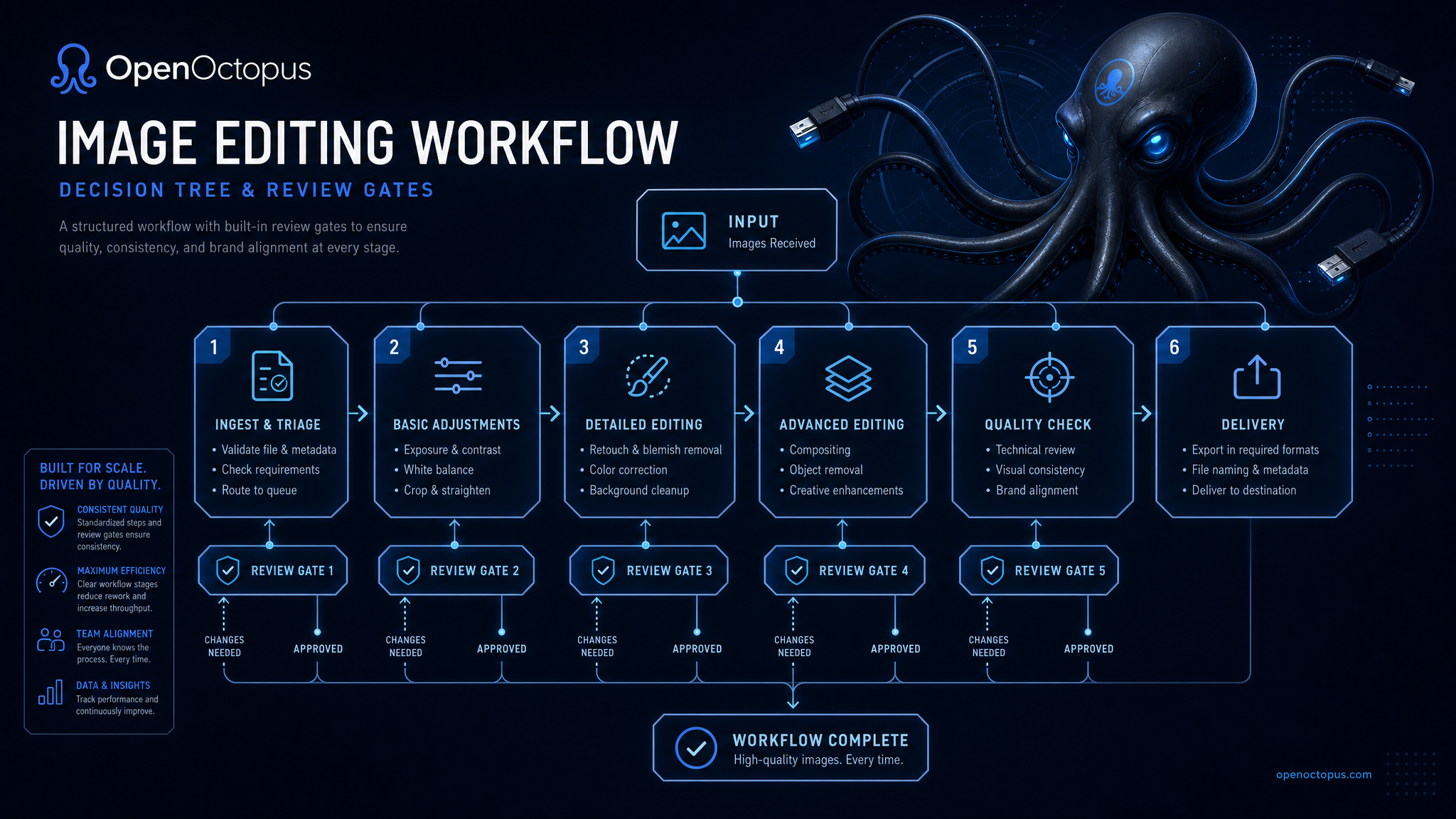
Route drafts and final renders separately
A practical comparison workflow is simple: generate several standard Nano Banana drafts, choose the strongest direction, then send the final prompt or reference workflow to Nano Banana Pro.
This keeps iteration cost controlled while reserving Pro quality for assets that actually need it. Teams building products can automate this routing in the Nano Banana API: draft route first, Pro route after approval.
Choose standard Nano Banana when you need
Fast drafts
Generate quick visual directions for review
Lower-cost tests
Try more prompt variants before approval
Simple edits
Handle backgrounds, style changes, and basic refinements
Social concepts
Produce content ideas where perfect detail is not required
Prompt learning
Test instructions before spending on premium output
High volume
Process larger batches where each image has lower value
Choose Nano Banana Pro when you need
Final assets
Produce visuals closer to publication quality
Subject consistency
Preserve products, people, and key objects more reliably
Complex edits
Combine multiple changes in one prompt
Better text handling
Improve short labels, signs, and graphic elements
Brand review
Send fewer weak assets into approval queues
Commercial polish
Use stronger output for product and campaign visuals
Recommendation for most teams
Use a hybrid Nano Banana vs Nano Banana Pro workflow. Draft with standard Nano Banana, select the best direction, and use Nano Banana Pro only for the final candidate or brand-sensitive image. This reduces cost while keeping final quality high.
For developers, route by intent: draft, preview, and explore go to standard; final, client, product, and publish go to Pro. Store the route, prompt, model, generated asset, and reviewer decision for each image.
Trust and source note
Google DeepMind Gemini Image provides model-family context. Google's image editing update covers Gemini image editing improvements. Use those sources for context, then compare Nano Banana vs Nano Banana Pro on your own prompts.
Nano Banana vs Nano Banana Pro FAQ
Compare Nano Banana and Nano Banana Pro
Start with standard Nano Banana for fast exploration, then move final assets to Nano Banana Pro when consistency and polish matter.
Start with $1 credit.