
ChatGPT Image Generator vs API: How Prompt Behavior Changes Output
Explore how ChatGPT image generator behaves differently in UI vs API environments. Understand prompt sensitivity, structure shifts, and output variations in GPT Image-2.
 AuthorYueZhu
ChatGPT image generator vs API: the prompt behavior gap
The same ChatGPT image generator can return visibly different results depending on whether you type a prompt into the ChatGPT UI or send it through the gpt-image-2 API. The underlying model is identical, but the surrounding system prompt, quality settings, and retry behavior are not. For teams building products around GPT Image-2, that gap in chatgpt image generator behavior matters more than benchmark scores.
TechCrunch's first look at ChatGPT Images 2.0 shows how the consumer interface prioritizes readable text and dense compositions. The ChatGPT image generator API exposes the same model but leaves those defaults to the developer. This article explains what changes when you move a prompt from the ChatGPT image generator UI to a production API call.
What changes when you move from UI to API
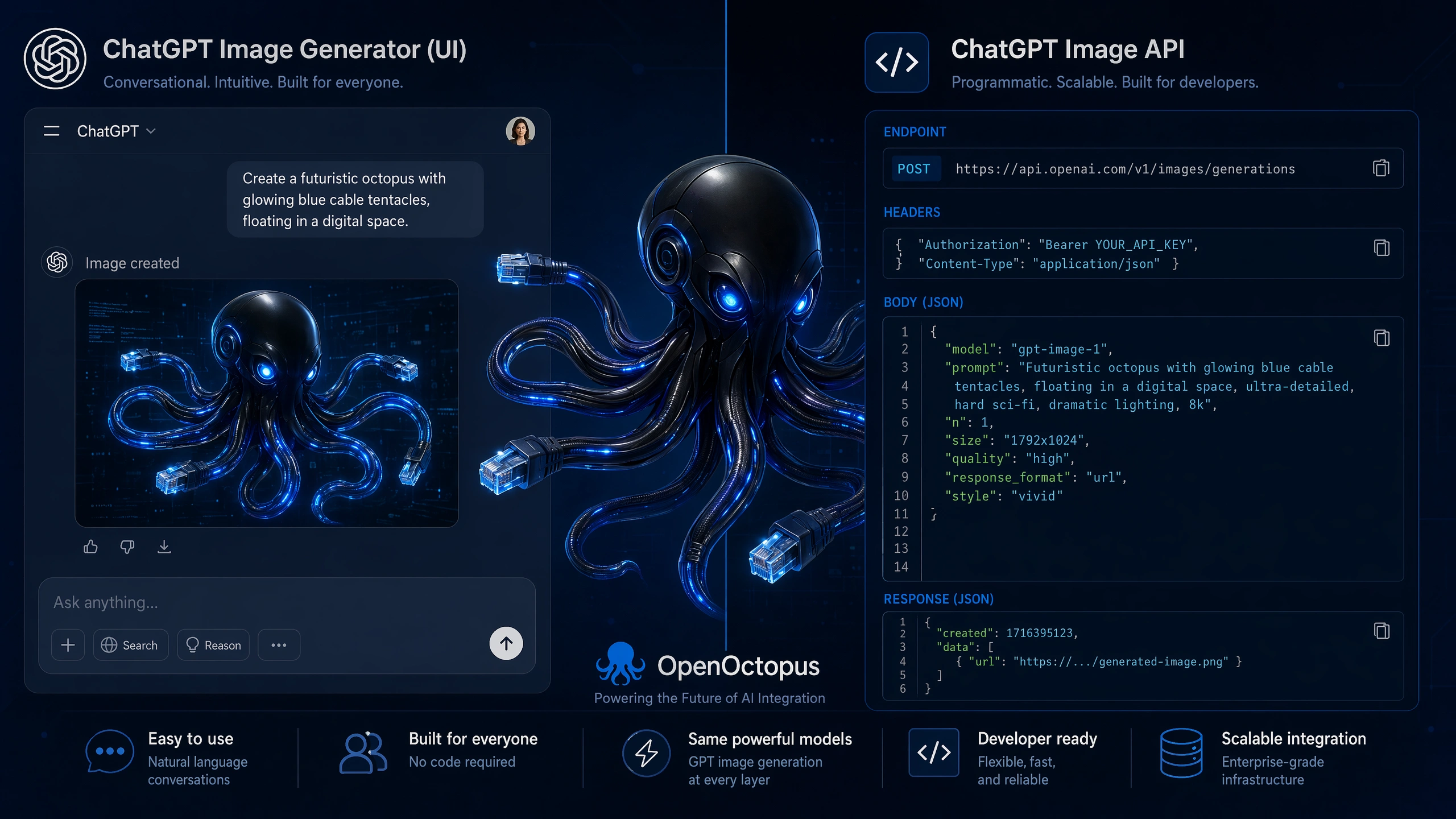
The ChatGPT image generator UI is tuned for one-shot satisfaction. It rewrites prompts internally, selects quality and aspect-ratio defaults, and may run multiple candidate generations before showing the best result. The ChatGPT image generator API gives you raw access to gpt-image-2, which means you control the prompt, the size, the quality tier, and the number of candidates, but you also lose the UI's implicit optimization layer.
Three differences show up immediately:
- Prompt rewriting. The ChatGPT image generator UI expands short prompts into detailed instructions. In the API, the prompt you send is closer to what the model actually sees.
- Quality defaults. The UI often uses a higher default quality than the API's standard tier, which can make the same prompt look sharper in ChatGPT.
- Candidate selection. The UI can generate several images and show the best one. The API returns what you ask for, so bad luck with a single candidate is more visible.
The OpenAI Developer Community announcement of GPT-Image-2 notes that the model is available through both surfaces, but the developer path requires explicit handling of resolution, quality, and multimodal input formatting.
Prompt structure shifts
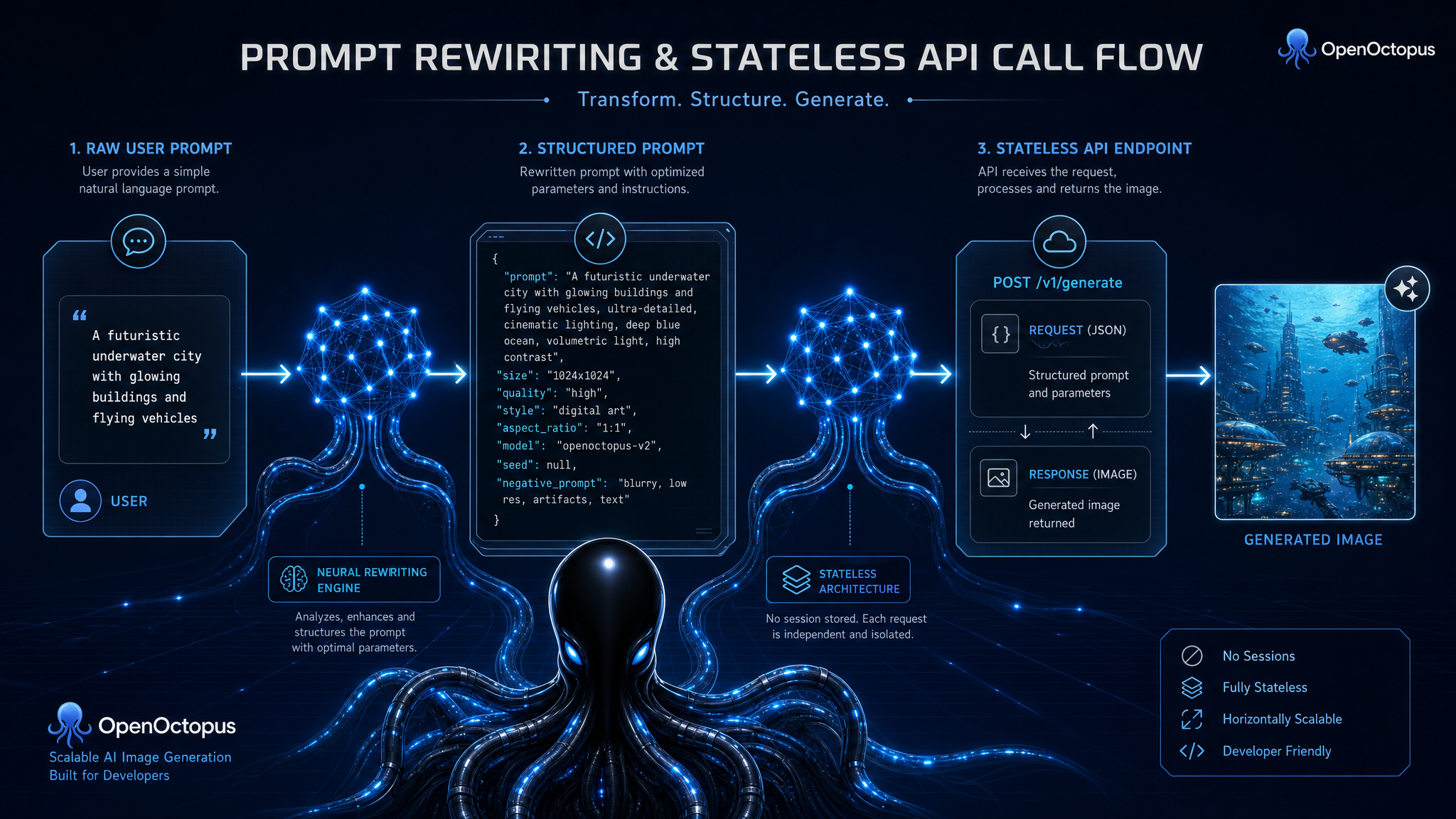
Prompts that work well in the ChatGPT image generator UI often need restructuring for the ChatGPT image generator API. In the UI, conversational context helps. You can say "make it more cinematic" and the system remembers the previous image. In the API, each call is usually stateless unless you build a thread or pass previous outputs back as image inputs.
A UI-style prompt like "a poster for a coffee shop, warm tones, bold headline" might produce a polished result because the UI adds implicit style and composition guidance. The same string in the gpt image 2 API can look flatter unless you add explicit instructions: "A vertical 1080x1920 poster for a coffee shop. Warm orange and brown tones. Bold sans-serif headline reading 'Morning Roast' at the top. Product photography of a latte in the center. Clean background.".
For text rendering, the difference is even larger. The ChatGPT image generator is known for strong typography, but that strength depends on how explicitly you describe text placement, font style, and spelling. The ChatGPT image generator API requires you to spell out those constraints yourself. Our GPT-Image-2 guide covers the model's general capabilities and pricing, which helps you decide whether to route through UI or API.
Output quality and consistency differences
The ChatGPT image generator UI is optimized for impressiveness on first use. It tends to produce higher-contrast, more saturated outputs with cleaner text. The ChatGPT image generator API's standard tier can look more neutral unless you raise the quality parameter or add stronger style direction.
Consistency across multiple generations is another gap. In the UI, each conversation has context, so follow-up edits like "make it blue" or "add a logo" behave predictably. In the API, maintaining consistency across calls requires you to pass the previous image back as input, which changes token cost and latency.
The NYU Shanghai RITS overview of ChatGPT Images 2.0 explains how reasoning mode and 2K output shift behavior. In the API, you decide when to use reasoning or higher resolution; in the UI, those decisions are made for you based on your subscription tier and prompt complexity.
Latency, cost, and rate limits
Latency is where the ChatGPT image generator UI and the API diverge most sharply. The UI can queue requests, pre-generate candidates, and cache common outputs. The API returns one generation per request, and gpt-image-2 is not a low-latency model. Complex prompts with reasoning or high resolution can take tens of seconds.
Cost also scales differently. The UI bundles generation into a subscription. The API charges per image based on quality and resolution. A prompt that produces a single polished image in the UI might require several API calls to match, especially if you need candidates or iterative edits.
Rate limits are stricter in the API for most developers. The ChatGPT image generator UI benefits from OpenAI's consumer infrastructure, while API users start with lower images-per-minute limits and must request increases for production traffic.
When to use the ChatGPT image generator UI and when to use the API
Use the ChatGPT image generator UI when you need quick, high-quality drafts without engineering overhead. It is the fastest way to test prompt ideas, explore styles, and produce one-off assets.
Use the API when you need:
- Batch generation at scale
- Custom quality, size, or aspect-ratio controls
- Integration into apps, workflows, or design tools
- Consistent editing chains across multiple images
- Cost attribution per user or per project
If your product lets end users generate images, you will likely use both: the UI for prototyping prompts, and the API for production delivery. The OpenAI Image Generation API landing page is the right place to evaluate stable gpt-image-2 access through OpenOctopus. For teams comparing image models, our Imagen 3 review explains how another strong text-to-image model handles similar ui vs api image generation trade-offs.
For image-to-image editing specifically, the behavior gap is similar. ChatGPT image editing in the UI handles upload and mask flow conversationally, while the ChatGPT image generator API requires structured image inputs. You can read more about editing patterns in our GPT Image 2 Edit review or try the online editor in the GPT Image 2 Edit tool landing page.
Final recommendation
The ChatGPT image generator and the gpt-image-2 API are the same model behind different interfaces. The UI trades control for convenience; the API trades convenience for control. The most common mistake is copying a UI prompt directly into an API call and expecting identical output.
Treat the UI as a prompt-development environment and the API as a production endpoint. Write API prompts with explicit structure, include text-rendering instructions when needed, and plan for retries or candidate generation. If you optimize for the API's raw interface rather than the UI's polished defaults, you can get consistent, production-ready output from the same ChatGPT image generator.