
Cheapest AI API for Developers
Route requests to the cheapest acceptable model through one OpenAI-compatible API
The cheapest AI API is not the provider with the lowest list price. It is the setup that measures cost per accepted result and routes each workload to the smallest model that passes your quality bar. A unified platform normalizes authentication and request format, so you can switch models by changing one parameter.
Start with $1 credit.
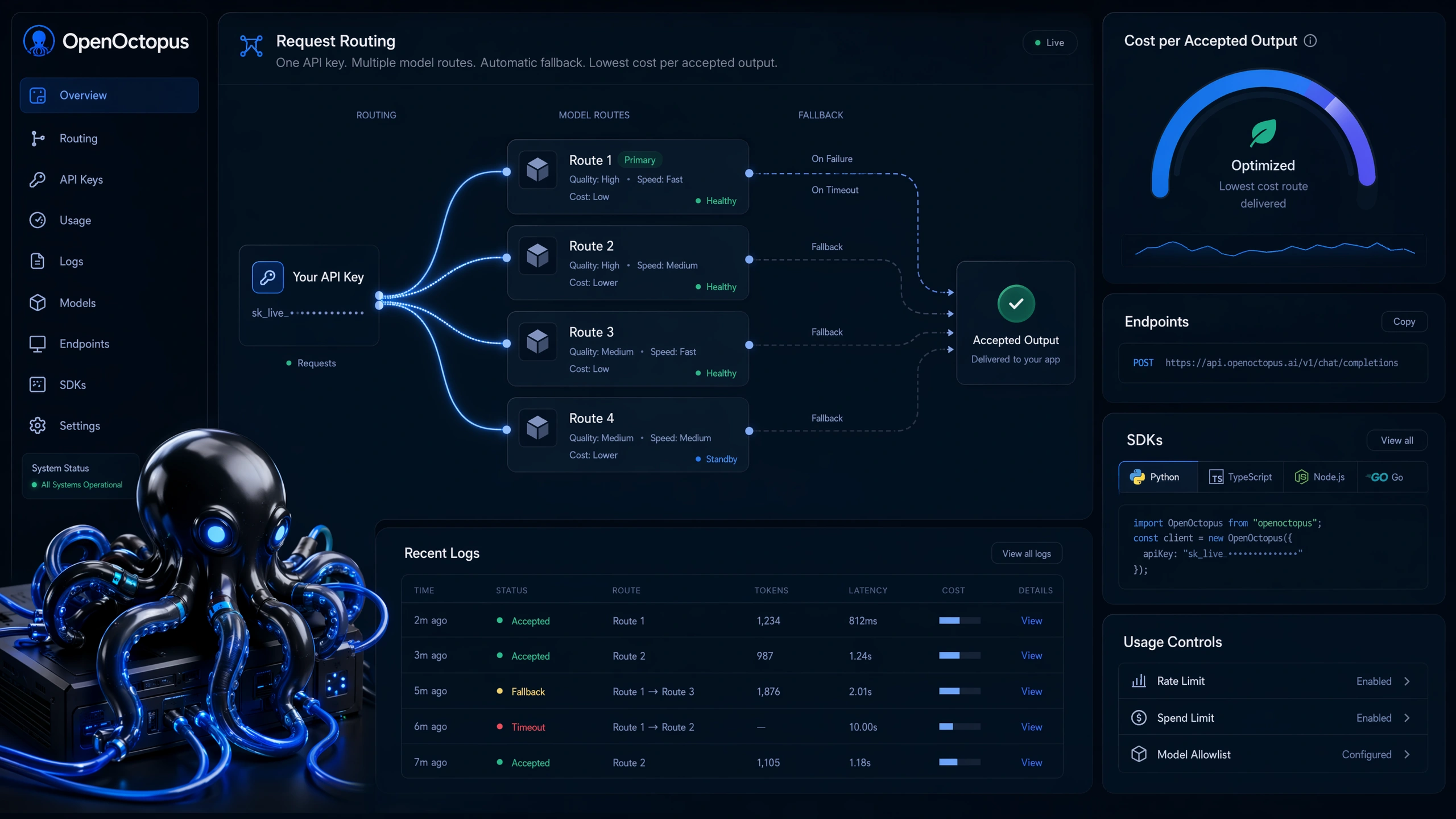
Cheapest AI API snapshot
https://api.openoctopus.com/v1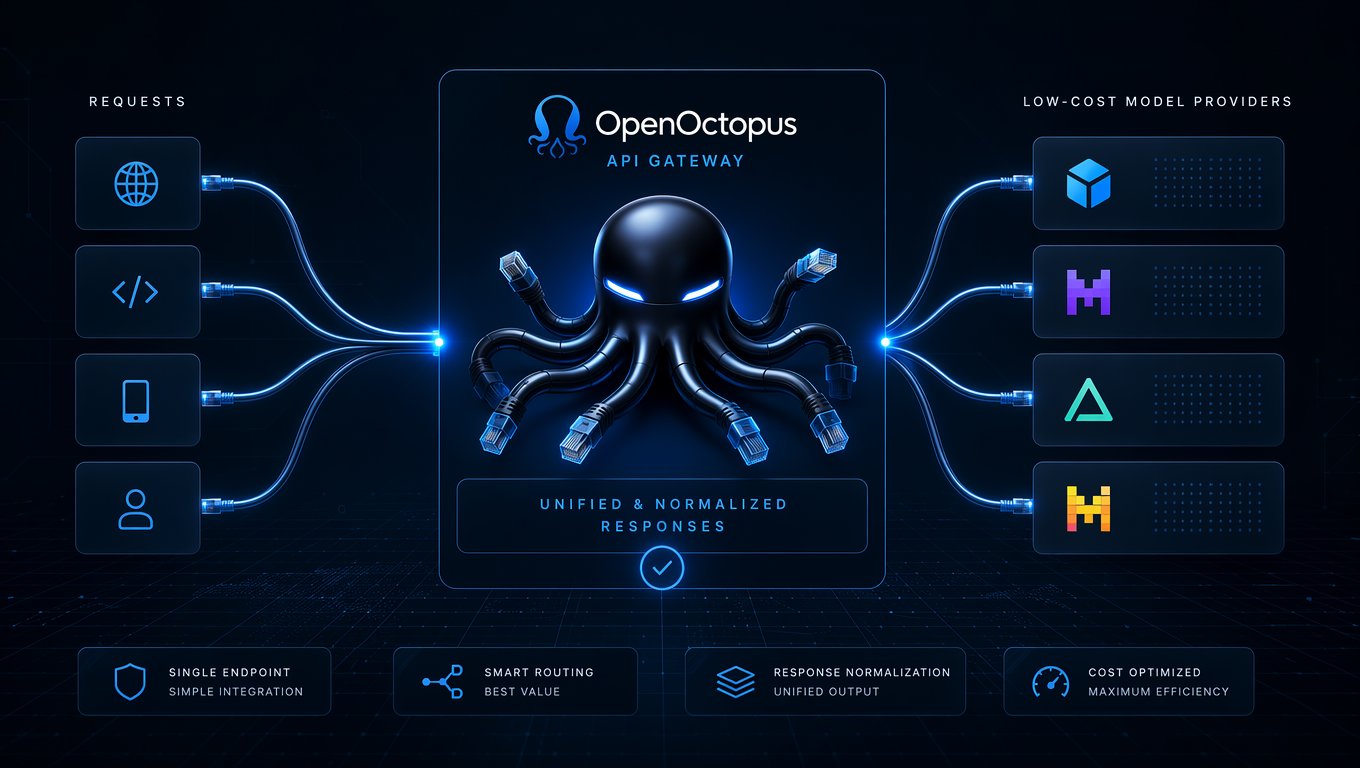
One endpoint for multiple low-cost models
Stop wiring each provider separately. A unified platform normalizes request shape and response format across low-cost text, image, code, and embedding models, so you switch routes by changing the model name.
The Stanford HAI AI Index Report 2025 shows that inference costs for a fixed performance threshold have dropped more than 280-fold in roughly 18 months as smaller, efficient models caught up. That trend makes a low-cost API strategy practical: today’s lightweight models can handle tasks that previously required expensive frontier models.
How to find the cheapest AI API for your workload
Start with the real prompts your app sends. Split them by workload type and compare cost per accepted result. A cheap route only wins if it passes your quality bar after retries. The goal is the cheapest acceptable model for each task, not one model for every task.
For a full comparison framework, see the AI API Platform Guide. If you are deciding between providers, the Best AI API breakdown covers speed, stability, and model coverage. Teams exploring zero-cost entry points can also read Free AI APIs for Developers.
Low-cost model tiers by workload
Use this tier map as a starting point for AI API pricing comparisons. Exact rates change, so verify current prices on each provider's official page before committing.
| Workload | Low-cost tier | When to escalate |
|---|---|---|
| FAQ and support drafts | Lightweight text models | High-value account or low confidence |
| Code comments and lint fixes | Code-capable mid-tier models | Security or behavior-changing patch |
| RAG snippets | Cheap summarization models | Source conflict or missing citation |
| Image drafts | Low-cost image generation models | Brand consistency or text rendering fails |
| Embeddings | Dedicated embedding endpoints | Multilingual or long-context needs |
| Agent planning | Small reasoning models | Tool failure rate or cost spikes |
A low-cost AI API strategy usually mixes tiers instead of forcing every request into one model. This workload-aware approach is what makes an affordable AI API actually affordable at scale.
Affordable AI API models to evaluate
When comparing affordable AI API options, start with model families known for strong price-to-performance ratios. Lightweight text tasks often run well on smaller models in the OpenAI API pricing table, while Anthropic’s Haiku series targets fast workloads. For raw per-token cost, DeepSeek’s pricing page is a common benchmark.
An OpenAI-compatible API surface lets you test candidates without rewriting your integration. A model that looks cheap can become expensive if it produces long outputs or needs many retries.
Controls for affordable AI API usage
Model routing
Match each request to the lowest-cost acceptable model
Output caps
Set max tokens before traffic scales
Retry limits
Stop failures from multiplying cost
Acceptance checks
Measure cost per approved answer
Quick Start: route to a low-cost model
from openai import OpenAI

client = OpenAI(
    api_key="YOUR_OPENOCTOPUS_API_KEY",
    base_url="https://api.openoctopus.com/v1"
)

response = client.chat.completions.create(
    model="LOW_COST_MODEL_NAME",
    messages=[
        {"role": "system", "content": "Answer in 5 bullets."},
        {"role": "user", "content": "Summarize this support thread."}
    ],
    max_tokens=220
)
Start with output caps, prompt trimming, retry limits, and per-feature logging. This gives you the data to prove whether a cheap route is actually cheaper after quality review.
Limitations of low-cost AI APIs
Public benchmarks are useful starting points, but they do not include your prompts, retry policy, region, or acceptance criteria. The lowest listed rate can hide batch restrictions or quality tradeoffs. Always verify pricing on the provider's official page, then run your own sample before production.
Cheapest AI API FAQ
Start with a low-cost AI API strategy
Use one OpenAI-compatible endpoint for model access, routing controls, and repeatable cost-per-result evaluation. Build a low-cost routing policy today.
Start with $1 credit.