
Gemini Imagen: Imagen 3 Review & Full Guide
Gemini Imagen guide for Imagen 3 capabilities, access paths, pricing context, limitations, and migration planning for image generation teams.
 AuthorYueZhu
Gemini Imagen means Google image generation through Gemini-era tooling
Gemini Imagen is a practical shorthand for Google's Imagen image generation models as they appear across Gemini, Google AI Studio, Vertex AI, and developer APIs. In most developer conversations, Gemini Imagen points to Imagen 3: a single-turn text-to-image model built for prompt-driven visual generation.
The important 2026 context is that Gemini Imagen is no longer only a capability question. Google's Gemini API Imagen documentation points developers toward newer Nano Banana-style generation methods, while Google migration notices vary by product surface. Teams using Gemini Imagen should treat it as a legacy or transition topic and verify the retirement schedule for their exact endpoint.
What Gemini Imagen does well
Gemini Imagen works best when the task is clear text-to-image generation. A user or application provides a detailed prompt, chooses output settings, and receives one or more generated images. Google DeepMind's Imagen page emphasizes photorealistic output, fine details, and creative style coverage, which matches the real-world appeal of Gemini Imagen for marketing, product, and editorial visuals.
Gemini Imagen is useful for:
- Product lifestyle images where the product, surface, and lighting can be described.
- Blog and landing-page illustrations where the final aspect ratio is known.
- Campaign concepts that need several visual directions quickly.
- Editorial images where exact brand typography is added later.
- Prompt libraries that need repeatable single-turn briefs.
For a narrower feature overview, use the Google Imagen 3 guide. For hands-on copyable prompts, use the Imagen3 prompt guide.
Access, pricing, and operational planning
Gemini Imagen access has varied across consumer Gemini products, Google AI Studio, Vertex AI, and the Gemini API. The Google Developers Blog announcement for Imagen 3 in the Gemini API framed it as an API-accessible image model with strong prompt following and broad style coverage.
Pricing and quota details are not stable enough to treat as permanent editorial facts. Teams should verify current Google or platform pricing before launching any workflow. For production planning, the better habit is to log every generated candidate image, prompt version, aspect ratio, and final acceptance state. This shows whether cost is driven by true volume or by repeated failed prompts.
If the workflow is moving from experimentation to code, the Imagen 3 API page handles the integration path. If the workflow is mostly account access and testing, use the Imagen 3 login and access guide.
Where Gemini Imagen falls short
Gemini Imagen is not a strong fit for every visual workflow.
| Limitation | Production impact |
|---|---|
| Single-turn generation | Follow-up edits usually require regenerating the image. |
| Weak exact typography | Logos, signs, packaging text, and compliance copy need post-processing. |
| Safety filtering | Some prompts can fail unexpectedly and need fallback handling. |
| Model lifecycle risk | Imagen-family endpoints need migration planning before their relevant retirement date. |
| Character consistency | Reusing the same person or object across a sequence remains unreliable. |
The Imagen 3 research paper describes quality and responsibility evaluations, which is useful background for understanding why safety behavior and representation concerns are part of production planning. These concerns do not make Gemini Imagen unusable, but they do require review queues and fallback routes.
Gemini Imagen vs newer options
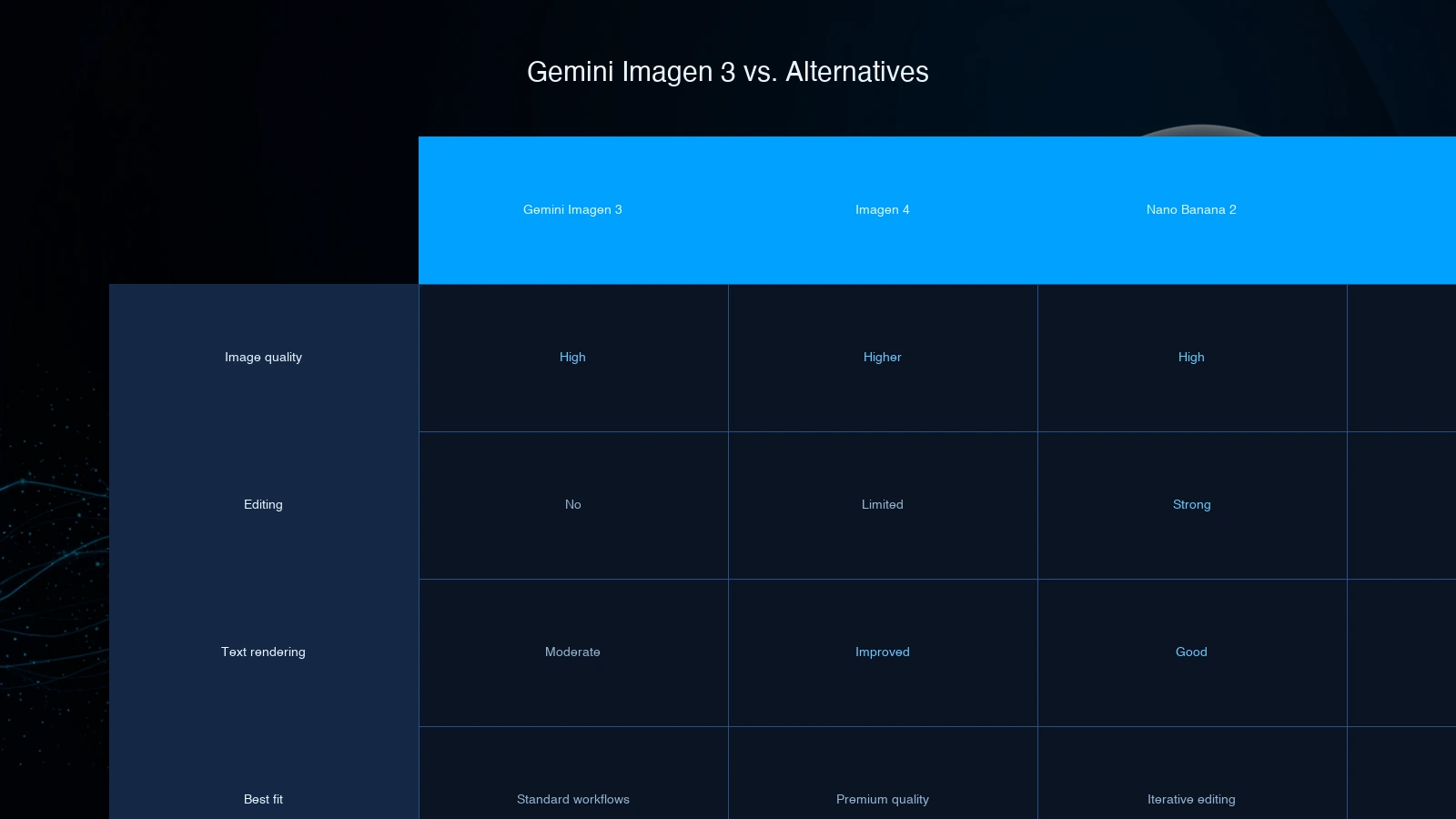
Gemini Imagen should now be compared against active image models rather than evaluated in isolation.
| Workflow need | Better default |
|---|---|
| Legacy Imagen prompt maintenance | Gemini Imagen / Imagen 3 |
| New Google image generation app | Nano Banana-style Gemini image generation |
| High-quality first-pass text-to-image | Compare Imagen 4, GPT-Image-2, and current Google models |
| Conversational image editing | Nano Banana or other edit-focused models |
| Artistic exploration | Midjourney or dedicated creative tools |
The Imagen 3 review covers the model-level trade-offs in more detail. The short version is simple: Gemini Imagen is still a useful baseline, but it should not be the only route in a new production stack.
Production checklist
Before keeping Gemini Imagen in a live workflow, verify:
- Every prompt template has a replacement-model test case.
- The application can handle blocked prompts, empty outputs, and retries.
- Generated images are reviewed for hands, faces, text, brand details, and unsafe artifacts.
- Costs are logged per accepted image, not only per API call.
- The team has a migration plan tied to the exact endpoint retirement date.
This checklist is more important than debating whether Gemini Imagen was a strong model at launch. For production teams, model lifecycle and operational control decide whether a workflow survives.
Bottom line
Gemini Imagen remains useful for understanding Google's Imagen 3 generation behavior, preserving prompt libraries, and maintaining legacy image workflows. Its strengths are clear prompt-to-image generation and predictable visual briefing. Its weakness is that the Imagen model family now carries a dated lifecycle.
Use Gemini Imagen as a reference and transition layer. For new applications, evaluate current image models, keep prompts portable, and avoid building a long-term system around deprecated Imagen endpoints.