AI Image Editer API
Production Image Editing with GPT Image 2 Edit
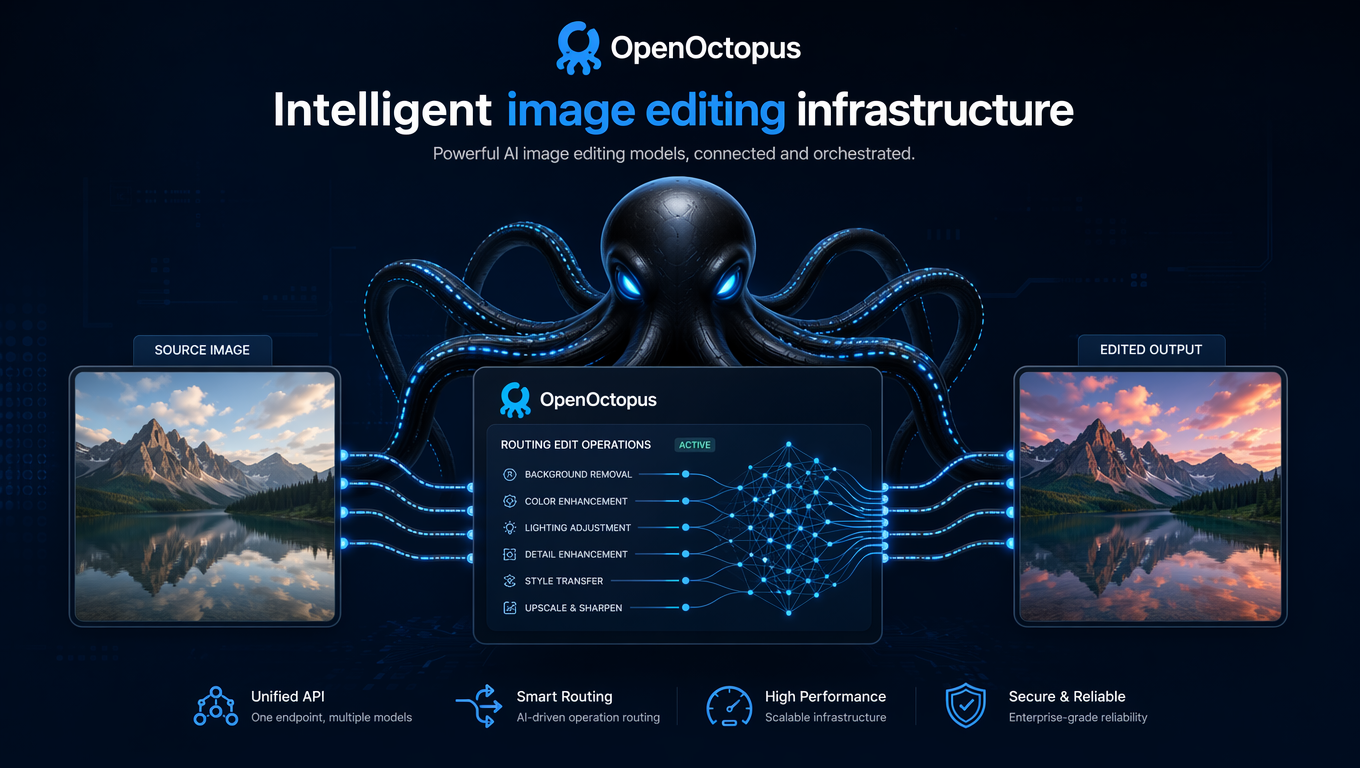
Image editing has historically forced a binary choice. Traditional tools like Photoshop deliver precision but require expertise and manual labor. Generative models offer speed but often struggle with controlled modifications and localized changes. The ai image editer api built on GPT Image 2 Edit resolves this tension by combining natural language control with high-fidelity image-to-image transformation through a single production endpoint for any ai image editor workflow.

AI Image Editer API capabilities at a glance

Why an AI Image Editer matters for product teams
Uncontrolled generation produces beautiful images that are often unusable in production. A model might generate an ideal product photo — but with the wrong background or a logo in the wrong position. Regenerating from scratch is wasteful. Manual editing is slow. What product teams actually need is an ai image editer that understands "change this specific thing while keeping everything else intact."
The ai image editer api targets this exact workflow. It processes an input image alongside a text instruction, modifying only the regions relevant to the instruction. The rest of the image — composition, lighting, texture, perspective — remains stable. This controlled approach makes the ai image editer valuable for commercial creative work, dramatically reducing iteration cycles.
As Envato's overview of GPT Image 2 capabilities explains, the model's improvements center on smarter prompt interpretation, sharper output quality, and more flexible sizing. These capabilities translate directly into editing reliability. When the model understands instructions precisely, the ai image editer applies changes accurately.
The unified OpenOctopus endpoint simplifies ai image editer integration. Developers authenticate once and send requests through a stable, monitored gateway. Production deployment becomes a configuration change rather than an infrastructure project.

How the AI Image Editer API integration works in practice
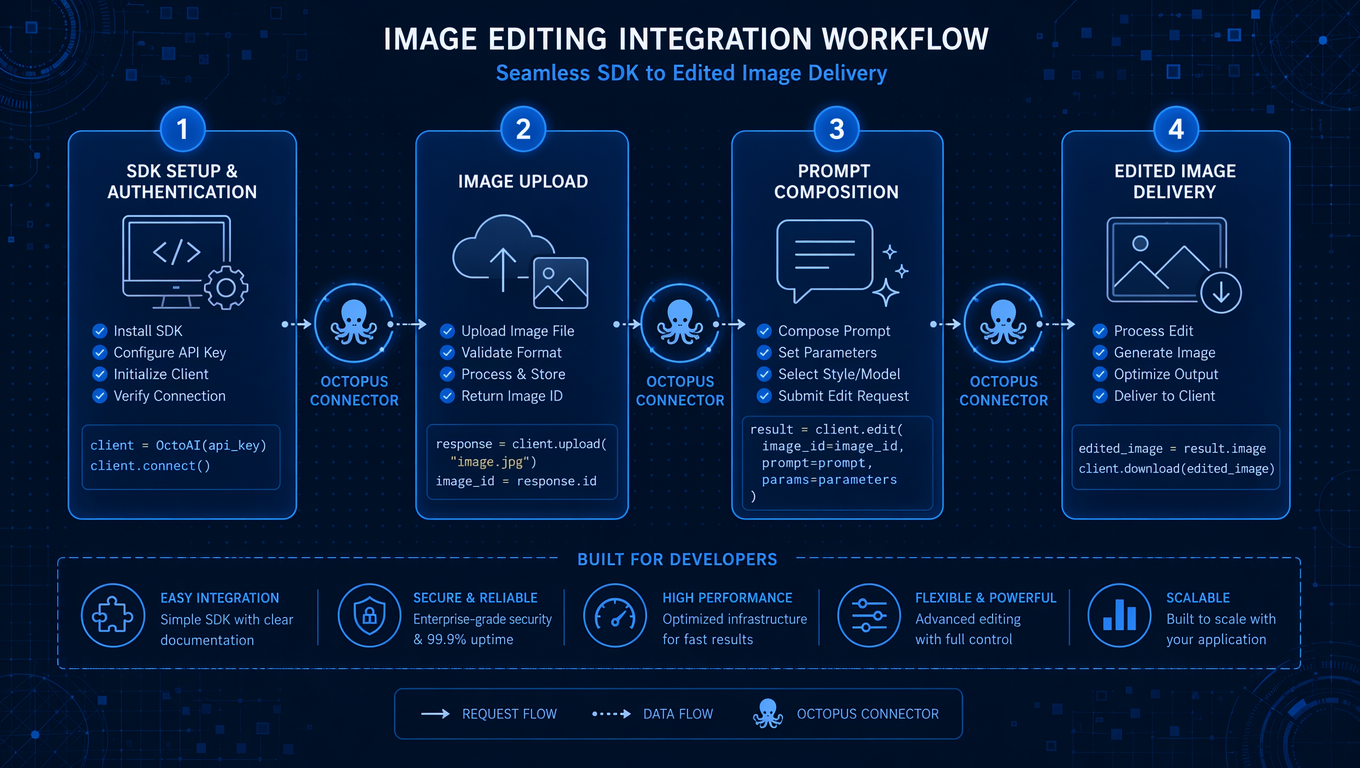
Integrating gpt image 2 edit into an application follows a five-step pattern.
Step 1: Authentication. Generate a single OpenOctopus API key for the ai image editer api. The same credentials authenticate requests across all supported models.
Step 2: Upload source image. Submit the image in JPG, PNG, or WebP format. The ai image editer api processes image inputs as tokens, so larger files increase per-request cost.
Step 3: Compose edit instructions. Write clear, specific prompts for the ai image editer describing the desired change. Vague prompts produce inconsistent results.
Step 4: Configure parameters. Set output size, quality level, and format. GPT Image 2 Edit supports flexible dimensions.
Step 5: Submit and receive. The API returns the edited image with token usage metadata. Typical latency is 3–10 seconds.
For hands-on testing before writing integration code, our AI Image Editer Tool - GPT Image 2 Edit Playground provides direct experimentation with upload, prompt, and preview workflows.
Core capabilities of this AI Image Editer API
Localized editing
Modify specific regions without reconstructing the entire image
Object replacement
Swap products, people, or props while preserving scene context
Background manipulation
Replace, extend, blur, or neutralize backgrounds
Style transformation
Apply consistent visual styles across existing imagery
Multi-turn refinement
Iterate on edits through sequential instructions
Flexible output sizes
Generate edited images at custom dimensions
Mask-aware processing
Control exactly which regions receive modification
OpenAI-compatible endpoints
Use familiar SDKs and request schemas
Real-world use cases for an AI Image Editer API
The gpt image 2 edit capability and broader ai image editer use cases apply across industries where visual iteration is a bottleneck.
| Use Case | Edit Instruction | Business Value |
|---|---|---|
| E-commerce background replacement | "Replace the background with a clean white studio setting" | Consistent catalog imagery without reshoots |
| Marketing seasonal variants | "Change the background to a winter scene with soft lighting" | Campaign localization at scale |
| Social media content | "Remove the logo and add a festive border" | Rapid content variation for posting schedules |
| Product photography cleanup | "Remove the reflection and adjust the shadows" | Reduced post-production time |
| Ad creative iteration | "Replace the car with a different model while keeping the road" | Faster A/B testing of visual concepts |
| Design asset adaptation | "Convert this illustration to a neon cyberpunk style" | Style exploration without recreating artwork |
The ai image editer api delivers the most value when edits are bounded and specific. Instructions like "remove the red cup on the left table" generate reliable outputs.


AI Image Editer API vs competing image editing APIs
The image editing api market includes several distinct approaches. Understanding their tradeoffs helps teams select the right infrastructure.
GPT Image 2 Edit vs Nano Banana / Gemini Image. Google's image models excel at conversational editing through natural dialogue. GPT Image 2 Edit counters with stronger prompt adherence and more predictable output for API-driven workflows. Teams building chat-based editing experiences may prefer Gemini. Teams building programmatic editing pipelines often prefer the OpenAI path.
GPT Image 2 Edit vs Flux Kontext. Flux offers open-weight flexibility and strong artistic generation. GPT Image 2 Edit counters with polished editing controls, better integration with existing OpenAI infrastructure, and more reliable commercial output for product imagery.
GPT Image 2 Edit vs Recraft. Recraft targets vector and marketing asset creation. GPT Image 2 Edit focuses on raster photograph editing. They serve different workflows.
GPT Image 2 Edit vs Adobe Firefly. Firefly integrates deeply with Creative Cloud and emphasizes enterprise content governance. GPT Image 2 Edit counters with simpler API integration, broader platform independence, and more flexible deployment options for SaaS products.
According to Curious Refuge's GPT Image 2 review, the model's strongest differentiator is prompt fidelity — the ability to follow detailed instructions without drifting into unrelated aesthetic changes. This characteristic directly benefits production editing workflows where consistency matters more than creative surprise.
AI Image Editer API pricing and token cost structure
Understanding gpt image 2 edit pricing requires analyzing token consumption carefully. Unlike text models where input is purely textual, image models process both text prompts and image pixels as tokens. Input images consume tokens based on resolution. Output images consume tokens based on size and quality settings.
According to OpenAI's pricing documentation, GPT Image 2 costs approximately:
| Cost Component | Rate | Practical Impact |
|---|---|---|
| Image input | ~$8 / 1M tokens | Higher-resolution source images cost more |
| Image cached input | ~$2 / 1M tokens | Repeated similar images benefit from caching |
| Image output | ~$30 / 1M tokens | Primary cost driver for editing workflows |
| Text input | ~$5 / 1M tokens | Minimal compared to image token costs |
| Text cached input | ~$1.25 / 1M tokens | Caching reduces prompt cost on repeated operations |
A typical 1024×1024 product photo edit through this ai image editer might consume $0.03–$0.08 in combined input and output tokens. A batch of one hundred background replacements costs roughly $3–$8, comparing favorably against manual editing time.
Cost control strategies for the ai image editer api include resizing inputs before submission, caching repeated source images, using lower quality settings for previews, and implementing prompt templates that minimize token overhead.
For a detailed quality and capability analysis, see our GPT Image 2 Edit for Image to Image AI Review.
Engineering realities: what to expect from an AI Image Editer API
Production deployment of any ai image editer reveals seven recurring challenges:
1. Multi-turn drift. Sequential edits can gradually alter image characteristics beyond the original style. Plan version control and comparison checkpoints for multi-step workflows.
2. Boundary instability. Localized edits sometimes affect adjacent regions. Review edges around edited areas, especially for complex textures like hair, fur, or fabric.
3. Text and logo accuracy. Generated or modified text and logos frequently contain errors. Any application requiring precise typography should implement human verification or separate text layers.
4. High-quality cost accumulation. While individual edits appear inexpensive, high-volume platforms processing thousands of images daily accumulate substantial costs. Implement caching, deduplication, and quality-tier routing.
5. Input image billing. Source images consume tokens even when the desired edit is minimal. Processing 4K photographs as inputs significantly increases cost compared to appropriately sized source files.
6. Batch queue management. Editing workflows often require job queuing, prioritization, and timeout handling. Plan asynchronous architecture from the start rather than retrofitting synchronous implementations.
7. Rights and compliance. Editing user-uploaded images, especially portraits and branded content, requires clear consent mechanisms, content policies, and moderation workflows. The ai image editing api provides the capability; your application must provide the governance.
According to WaveSpeedAI's blog introducing GPT Image 2 Edit, production teams see the best results when they combine clear prompt engineering with robust input validation and explicit output validation steps.
Frequently asked questions about this AI Image Editer API
Start building with the AI Image Editer API today
Transform static image workflows into programmable editing pipelines with GPT Image 2 Edit. Replace backgrounds, swap objects, adjust styles, and iterate on visual assets through natural language instructions — all through a single API endpoint with unified billing and reliable infrastructure.