
Video AI Face Swap: Is Akool Worth Using?
Review the video ai face swap workflow, output quality, and real tradeoffs
Akool promises an all-in-one Akool face swap, ai video avatar, and localization suite for marketers. Before committing credits, it helps to know where it wins, where it lags, and which use cases actually fit. This Akool ai review breaks down face swap quality, avatar workflow, pricing model, and limits so you can decide if it belongs in your video stack.
Start with $1 credit.

Akool at a glance
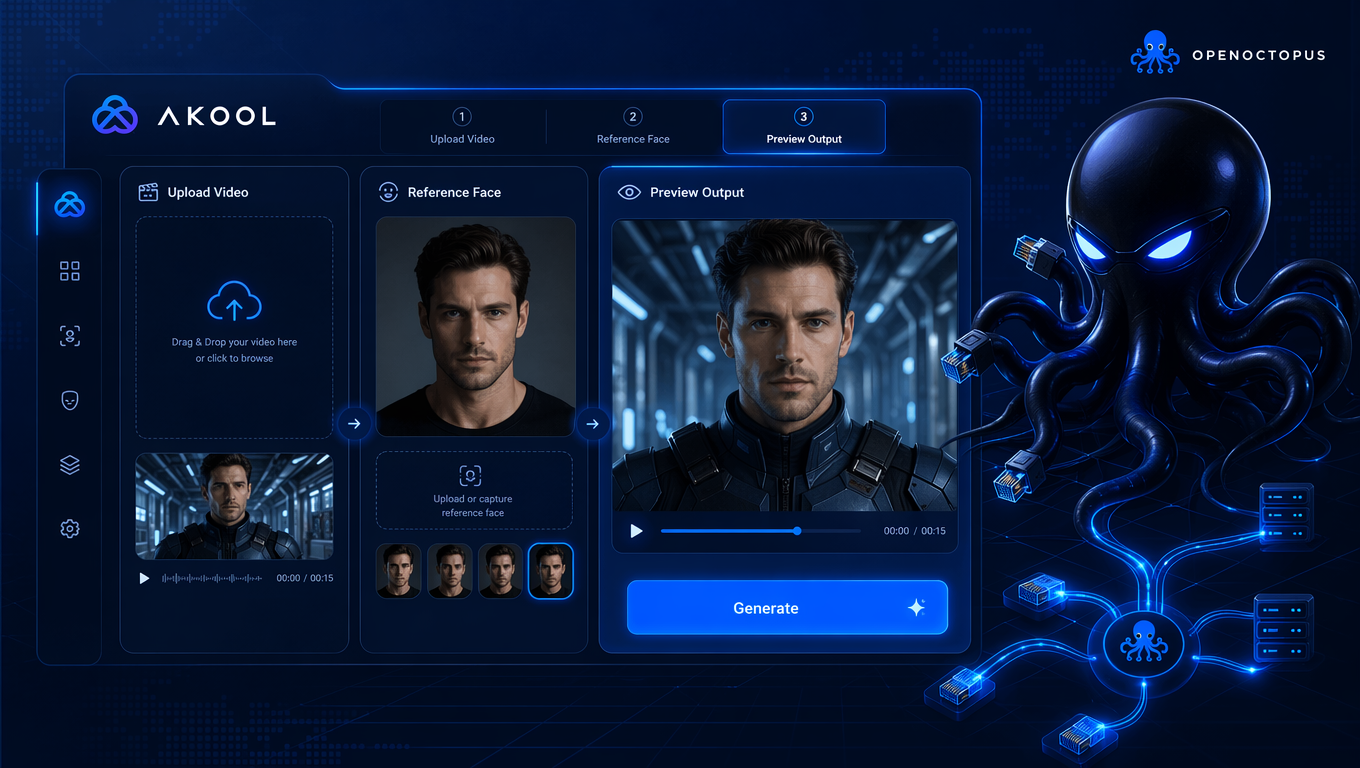
What video ai face swap actually means in Akool
An Akool video face swap workflow replaces a face in a source video with a reference photo while keeping motion and expression. Akool's version is built for speed and campaign output: upload a clip, upload a face, and get a swapped video in minutes. The tradeoff is fidelity. Marketing-grade smoothing and lighting matching can make results look polished, but they can also drift from a true likeness.
For creators who need quick social variants, this is usually good enough. For developers who need precise identity preservation in a product, a dedicated video face swap API is often a better fit. The same AI video pipeline also powers avatar and localization features; TechCrunch reported that platforms are racing to add voice cloning and lip-sync translation for global campaigns.
Akool vs alternatives for face swap video AI
| Akool | HeyGen | Synthesia | WaveSpeed Video Face Swap | |
|---|---|---|---|---|
| Best for | Marketing localization + face swap ads | Sales avatars + translations | Enterprise training videos | Developer/API face swap pipelines |
| Face swap | Included, marketing grade | Limited | Limited | Core strength |
| Avatar / lip sync | Strong | Strong | Strong | Not included |
| Localization | Strong | Strong | Moderate | Not included |
| API depth | Limited | Moderate | Moderate | High |
| Pricing | Credits / plans | Credits / plans | Enterprise tiers | Per-second usage |
Akool is worth considering when face swap is part of a larger marketing workflow. If your only need is a backend Akool face swap engine, WaveSpeed is purpose-built for that. For a direct comparison, see Akool vs HeyGen. For a deeper feature breakdown, read the Akool AI guide.
Why teams consider Akool
All-in-one marketing suite
Akool face swap, avatar, lip sync, and localization in one UI
Fast campaign iteration
Generate ad variants without a production crew
Browser workflow
No install or GPU needed for video face swap online
Talking avatar
Turn a photo or stock avatar into a narrator
Video localization
Translate voice and lip movement for new markets
API handoff
Scale through OpenOctopus when ready
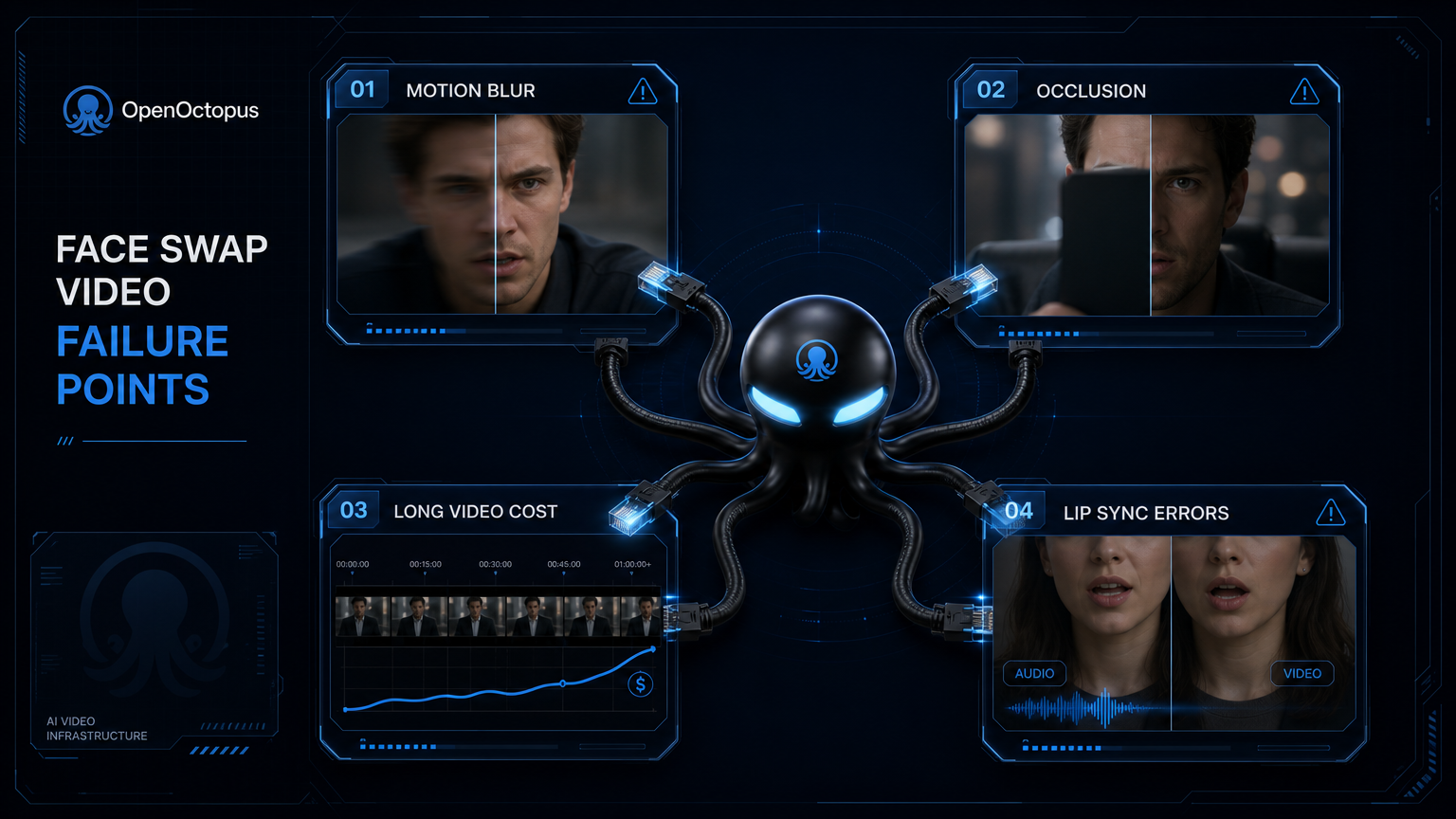
Where Akool face swap results break down
Complex motion. Fast head turns and heavy motion blur cause identity drift.
Occlusion. Hands, glasses, and hair can interrupt the swap.
Long videos. Cost and render time climb quickly beyond short clips.
Cross-language lip sync. Phoneme differences create subtle mouth-shape errors.
Brand risk. Synthetic media can make people appear to say things they never said. MIT Sloan's overview of deepfakes warns that this raises real trust and consent issues.
A research survey in Face Deepfakes - A Comprehensive Review confirms that blending, lighting matching, and temporal consistency remain active challenges across the field.
Final verdict: is Akool worth it?
Akool is worth it for marketing teams that need a bundled Akool face swap, avatar, and localization workflow. It saves time on ad variants, explainers, and translated content. It is less compelling as a standalone face swap tool or as a backend API for developers.
Choose Akool if you value an integrated UI and campaign speed over pixel-perfect face replacement. Choose a specialized face swap video model if your product depends on fidelity, batch processing, or fine-grained API control. You can test the workflow in the Akool playground and compare it against alternatives before scaling.
Video AI Face Swap FAQ
Test Akool for your face swap workflow
Upload a clip and reference face to see how Akool handles your content. When ready, move stable workflows to production through the API.
Start with $1 credit.