
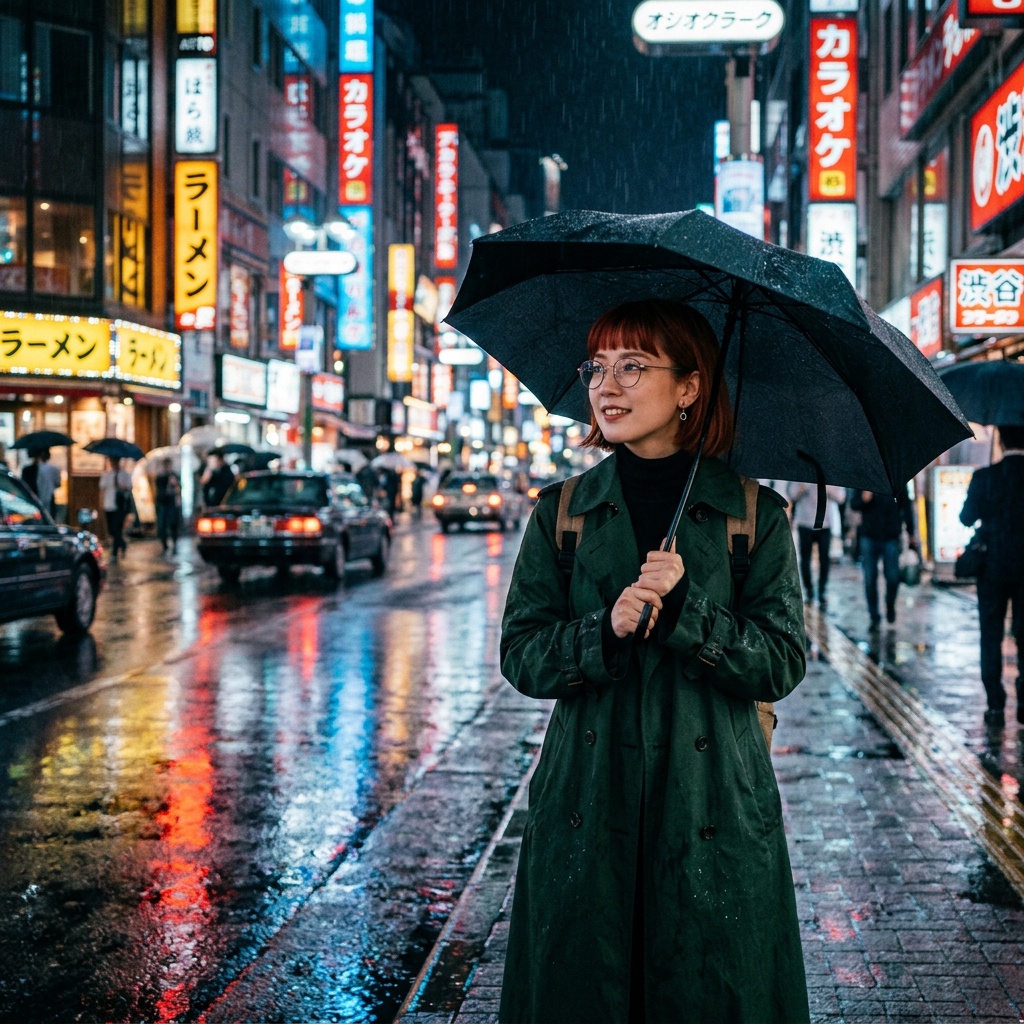
Google Nano Banana 2 Text-to-Image
Google Nano Banana 2 Text-to-Image is a fast AI image generation model optimized for cinematic visuals, flexible aspect ratios, high-resolution outputs, and rapid creative workflows.
Overview
Google Nano Banana 2 Text-to-Image, powered by Gemini 3.1 Flash Image technology, transforms natural-language prompts into high-quality visuals with fast generation speed and strong prompt understanding.
The model supports photorealistic imagery, cinematic compositions, social media content, character portraits, concept art, and marketing visuals with flexible resolutions and ultra-wide aspect ratio support.
Why it looks great
- Fast image generation: Optimized for rapid visual creation while maintaining strong image quality.
- Multi-resolution output: Supports 0.5K, 1K, 2K, and 4K generation options.
- Flexible aspect ratios: Includes portrait, landscape, cinematic, panoramic, and ultra-wide formats.
- Cinematic visual quality: Excels at atmospheric scenes, realistic lighting, and anamorphic compositions.
- Prompt Enhancer support: Automatically improves prompt quality for richer image generation.
- Output format flexibility: Export generated images in PNG or JPEG format.
- Strong prompt understanding: Handles detailed style, composition, and character instructions accurately.
Limits and Performance
- Supported resolutions: 0.5K, 1K, 2K, 4K
- Supported aspect ratios: 1:1, 3:2, 2:3, 3:4, 4:3, 4:5, 5:4, 9:16, 16:9, 21:9, 1:4, 4:1, 1:8, 8:1
- Output formats: PNG, JPEG
- Prompt support: Detailed natural-language prompts
- Web search enhancement: Optional
- Image search enhancement: Optional
- Best for: Cinematic imagery, concept art, social media content, and marketing visuals
- Generation speed: Optimized for rapid turnaround
Pricing
Pricing
varies depending on output resolution and optional enhancement features.
| Resolution | Cost |
|---|---|
| 0.5K | $0.045 |
| 1K | $0.070 |
| 2K | $0.105 |
| 4K | $0.140 |
| Web search | +$0.014 |
| Image search | +$0.014 |
Billing Rule
Higher-resolution outputs increase generation cost. Optional web search and image search enhancements are billed separately per request.
How to Use
- Write a detailed prompt describing the desired image.
- Include visual style, lighting, atmosphere, and composition details.
- Select the preferred aspect ratio.
- Choose the desired output resolution.
- Optionally enable Prompt Enhancer for improved prompt quality.
- Optionally enable web search or image search enhancements.
- Select PNG or JPEG output format.
- Submit the generation request and download the generated image.
Input Parameters
| Parameter | Required | Description |
|---|---|---|
| prompt | Yes | Text description of the desired image |
| aspect_ratio | No | Output aspect ratio such as 1:1, 16:9, or 9:16 |
| resolution | No | Output resolution: 0.5K, 1K, 2K, or 4K |
| enable_web_search | No | Enable web search enhancement |
| enable_image_search | No | Enable image search enhancement |
| output_format | No | Output format: PNG or JPEG |
Output Format
- High-resolution AI-generated image files
- PNG and JPEG export support
- Cinematic and photorealistic rendering
- Portrait, landscape, panoramic, and ultra-wide formats
- Marketing-ready and social-ready visual assets
Pro tips for best quality
- Use cinematic descriptions such as “anamorphic lens”, “film grain”, or “neon reflections”.
- Include atmosphere and lighting details for more dramatic compositions.
- Use portrait aspect ratios for character art and vertical content.
- Use ultra-wide ratios like
21:9or4:1for cinematic landscapes and banners. - Enable Prompt Enhancer for more refined visual outputs.
- Use 2K or 4K resolution for professional creative assets and detailed scenes.
Note
The prompt field is the only required parameter. Ensure prompts comply with Google safety guidelines before generation. Higher resolutions and optional enhancement features increase total generation cost.