
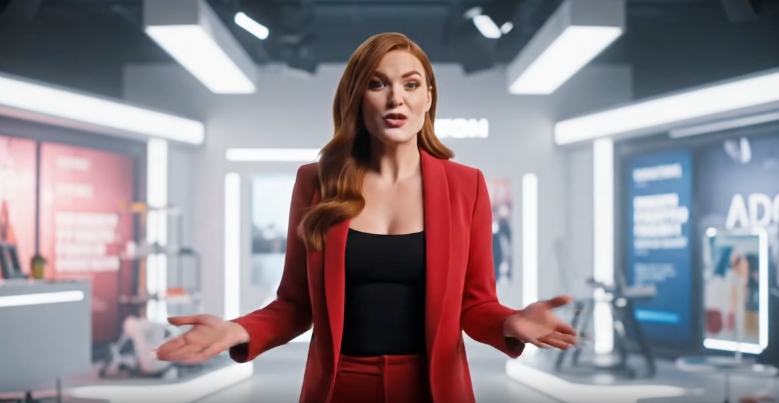
Openoctopus Google Veo 3 Fast AI Video Generator
Openoctopus Google Veo 3 Fast AI Video Generator is a high-speed AI video generation model that creates cinematic short videos with synchronized audio, realistic motion, and production-ready visual quality.
Overview
Openoctopus Google Veo 3 Fast AI Video Generator is optimized for creators who need fast, cost-efficient AI-generated videos with native sound generation. The model produces realistic 8-second cinematic clips complete with synchronized dialogue, ambient sound effects, music, and expressive character motion.
It is designed for short-form storytelling, social content, trailers, promotional videos, and rapid creative prototyping.
Why it looks great
- Lightning-fast generation: Produces cinematic AI videos significantly faster than standard-generation workflows.
- Cost-efficient production: Optimized for lower-cost, high-volume video generation pipelines.
- Cinematic realism: Generates film-like lighting, coherent motion, expressive characters, and realistic environments.
- Native synchronized audio: Automatically generates voice, sound effects, ambience, and background music matched to the visual scene.
- Character and camera consistency: Supports stable camera direction and reference-based continuity for storytelling workflows.
- Short-form content optimization: Ideal for trailers, social videos, viral clips, and cinematic concepts.
Limits and Performance
- Max video duration: Up to 8 seconds
- Typical generation speed: Approximately 30 seconds per video
- Maximum resolution: Up to 1080p
- Supported aspect ratios: 16:9 and 9:16
- Audio support: Voice, ambience, SFX, and music synchronization
- Best for: Trailers, social content, cinematic clips, and rapid storytelling
- Commercial usage: Supported
Pricing
Pricing
depends on whether synchronized audio generation is enabled.
| Output Type | Cost |
|---|---|
| Video with audio | $1.20 |
| Video without audio | $0.80 |
Billing Rule
Each generated video is billed individually. Pricing remains the same for both 720p and 1080p outputs.
How to Use
- Write a cinematic text prompt describing the scene, characters, action, and atmosphere.
- Optionally include dialogue inside quotation marks for clearer speech generation.
- Choose the desired aspect ratio.
- Submit the generation request.
- Preview the generated video with synchronized audio.
- Download the final MP4 output.
Input Parameters
| Parameter | Required | Description |
|---|---|---|
| prompt | Yes | Cinematic text description of the desired video |
| duration | No | Video duration up to 8 seconds |
| aspect_ratio | No | Output format such as 16:9 or 9:16 |
| audio | No | Enable or disable synchronized audio generation |
| reference_image | No | Optional reference image for character consistency |
Output Format
- MP4 video output
- Synchronized voice, music, ambience, and sound effects
- 720p and 1080p video support
- Cinematic short-form AI video generation
- Vertical and landscape video formats
Pro tips for best quality
- Use concise cinematic prompts with clear subject, lighting, and motion descriptions.
- Include camera directions such as “tracking shot”, “slow zoom-in”, or “wide cinematic shot”.
- Use quotation marks for dialogue to improve speech clarity and synchronization.
- Focus on a single scene or action for more coherent short-form generation.
- Use reference images to maintain visual consistency across multiple clips.
- Match aspect ratio to the target platform, such as
9:16for vertical shorts and16:9for widescreen videos.
Note
Actual generation speed may vary depending on resolution and system load. The model is currently optimized for short-form cinematic content such as trailers, social videos, promotional clips, and viral content workflows.